
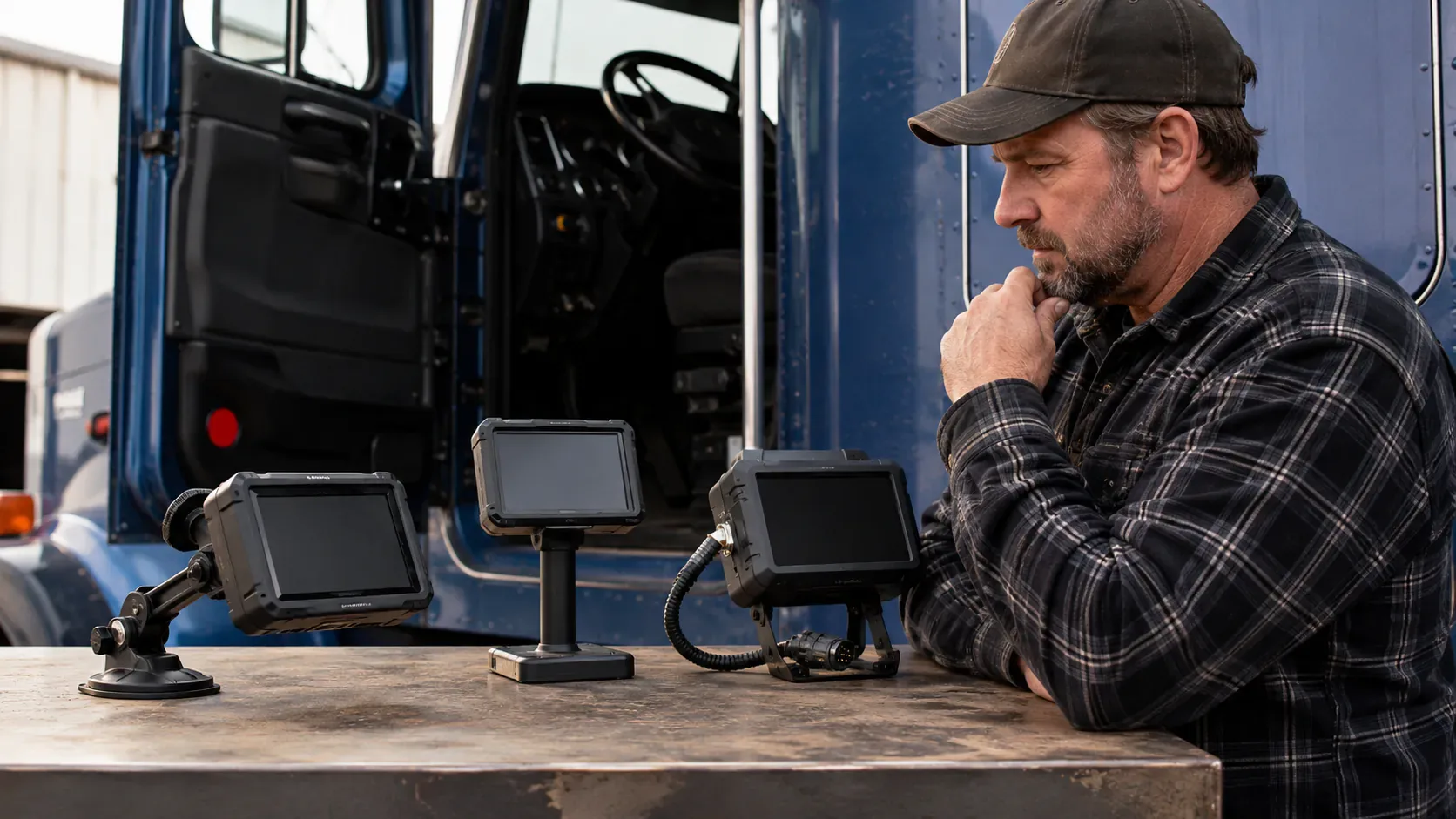
A one-truck carrier does not need the ELD with the longest feature list.
It needs the ELD least likely to interrupt a legal trip.
That means the device should:
- record driving correctly;
- be easy to use every day;
- survive the truck’s operating environment;
- work during a roadside inspection;
- keep records accessible;
- provide competent support;
- allow the carrier to leave without losing its data.
Large fleets can spread a weak product across compliance staff, spare devices and IT support.
A one-truck business cannot.
When the only device fails, the entire business can stop.
This article uses three stages:
- eliminate unsafe choices;
- test the finalists in real operation;
- score business fit and exit risk.
Stage 1: eliminate any device that fails a non-negotiable test
Before comparing dashboards, fuel reports or dispatch integrations, apply six pass-or-fail tests.
A device that fails one should not reach the final comparison.
| Test | Pass condition |
|---|---|
| Official status | The exact product appears on FMCSA’s current registered list |
| Truck compatibility | The hardware and cable match the vehicle and engine connection |
| Roadside operation | The driver can display and transfer records without outside assistance |
| Record control | The carrier can export and retain its own records |
| Support access | Help is available when the truck actually operates |
| Exit path | The contract allows records and hardware to be recovered during a switch |
This first screen removes products that might look inexpensive but create unacceptable compliance risk.
Test 1: verify the exact device on FMCSA’s list
FMCSA requires carriers subject to the ELD rule to use a registered, self-certified device.
The list includes:
- device name;
- model number;
- software version;
- six-character ELD identifier;
- provider;
- supported data-transfer methods;
- provider contact details.
The listing is self-certification by the manufacturer.
FMCSA expressly states that it does not endorse the listed devices.
Why the exact match matters
A provider can offer several products under one brand.
A carrier should compare the sales proposal and installed equipment against:
- listed device name;
- model;
- version;
- identifier.
Do not accept only:
- provider name;
- company logo;
- website screenshot;
- claim that another model from the company is registered.
Check both official lists
FMCSA says carriers are responsible for periodically checking:
- registered-device list;
- revoked-device list.
This has become especially important in 2026 because FMCSA has removed multiple devices from the list.
A working subscription is not proof that the product remains compliant.
Keep selection evidence
Save a dated copy showing the exact device was registered when purchased.
Record:
- official device name;
- model;
- identifier;
- verification date;
- official list location.
This will not prevent a future revocation, but it proves the carrier performed a reasonable current-status check.
Test 2: match the hardware to the actual truck
The product must work with the power unit, not with a generic description of the fleet.
Identify:
- truck year;
- make and model;
- engine;
- diagnostic port;
- connector type;
- available mounting location;
- power arrangement.
Common hardware problems include:
- wrong 6-pin or 9-pin cable;
- incompatible OBD connection;
- loose adapter;
- installation that blocks another diagnostic tool;
- cable exposed to driver movement;
- tablet without reliable power;
- hardware that repeatedly disconnects after vibration.
Ask for a written compatibility confirmation
Provide the vendor with:
- VIN;
- truck year;
- engine;
- port photograph;
- current telematics equipment.
Ask the vendor to identify:
- required hardware;
- required cable;
- installation procedure;
- replacement policy;
- warranty;
- shipping time.
Keep the response.
Hardwired, plug-in and BYOD systems
A one-truck carrier commonly sees three broad designs.
| Format | Strength | Main risk |
|---|---|---|
| Dedicated display and hardware | Stable company-controlled setup | Higher equipment cost and replacement dependency |
| Engine device plus phone or tablet | Lower hardware burden and familiar interface | Phone, Bluetooth, power and app dependency |
| Standalone unit | Simple solution for one or two vehicles | Can offer limited administration or integration options |
FMCSA notes that a stand-alone unit can be appropriate for one or two vehicles when it supports all minimum requirements.
The best form factor depends on the operation.
Test 3: make roadside use the central product test
The most important ELD screen is not the business dashboard.
It is the roadside-inspection screen.
The driver should be able to:
- show the current day;
- show the previous seven days;
- identify the carrier and vehicle;
- display the graph grid;
- show edits and annotations;
- enter an inspection comment;
- transfer the output file;
- understand whether the transfer succeeded.
This should take minutes, not a telephone call.
Test the exact transfer methods
FMCSA’s device list shows the supported methods for each product.
A registered device generally uses an approved data-transfer option such as:
- telematics through web services and email;
- local transfer through USB and Bluetooth.
The exact listing explains the supported method.
The carrier should verify that the app and hardware actually expose those functions clearly.
Display still matters
Connectivity can fail.
The driver should be able to display the required records for review even when the preferred transfer method is temporarily unavailable.
The carrier should test:
- no cellular signal;
- phone in airplane mode where safe and appropriate;
- poor Bluetooth connection;
- application restart;
- inspector comment entry;
- multiple vehicle assignments.
Use a real output file
Ask the provider or trial account to create a genuine ELD output file.
Open it using FMCSA’s public Web eRODS or Desktop eRODS tool.
The public tool shows how the file appears in the eRODS environment.
It does not provide an enforcement ruling, but it is more useful than relying only on the vendor’s dashboard.
Test 4: confirm accurate daily log workflow
A compliant device should make correct use easier without hiding important decisions.
Test the everyday workflow.
Start of day
The driver should be able to:
- log in to an individual account;
- choose the correct vehicle;
- review unidentified driving;
- enter trailer and shipping information;
- inspect current availability;
- identify active diagnostics or malfunctions.
During the trip
Test:
- automatic driving capture;
- transition into driving status;
- on-duty entry;
- sleeper-berth entry;
- location information;
- personal conveyance where authorized;
- yard move where authorized;
- connection loss and recovery.
End of day
The driver should be able to:
- review the complete record;
- add annotations;
- correct permitted errors;
- certify the RODS;
- identify pending carrier edits.
Edits should remain transparent
The system must preserve original information and edit history.
A carrier can propose certain edits.
The driver must be able to accept or reject them as required.
The system should not make it easy to:
- erase automatic driving;
- silently change the original record;
- merge driver identities;
- hide unidentified driving.
Test 5: examine unidentified-driving management
Unidentified driving is one of the most important administrative functions in an ELD.
It can arise when:
- truck moves before driver login;
- mechanic road-tests the vehicle;
- yard personnel move it;
- driver selects the wrong account;
- device disconnects and reconnects;
- personal conveyance is misused.
The administrator should be able to:
- see every unidentified event;
- assign it to the correct driver;
- annotate legitimate non-driver movement;
- preserve rejected assignments;
- prevent a growing unresolved backlog.
Why this matters for one truck
An owner-operator can assume every movement is obvious because there is only one driver.
That is not always true.
Shop movement, towing, maintenance and loading-yard movement can create events that need explanation.
The system should make the resolution process clear without encouraging inaccurate assignments.
Test 6: test records before trusting the provider
A carrier must generally retain ELD records and a separate backup for six months.
The provider should not be the only practical owner of those records.
Ask the salesperson to demonstrate the export while the trial is active.
The export should include
- RODS;
- graph grids;
- edits;
- annotations;
- certifications;
- unidentified driving;
- vehicle assignments;
- diagnostic and malfunction events;
- driver-account history where applicable.
Verify the date range
Some portals offer:
- 7 days by default;
- 30 days per report;
- only currently active drivers;
- no bulk export;
- no machine-readable file.
The carrier needs a realistic method to preserve six months.
Separate backup
The carrier should understand how the provider satisfies the separate backup requirement and how the carrier can maintain an additional company-controlled copy.
A cloud portal is convenient.
It is not a complete transition plan when:
- provider closes;
- account is cancelled;
- payment dispute occurs;
- device is revoked;
- records are corrupted.
Ask the cancellation question directly
Say:
If I cancel today, exactly how do I receive all required records, in what format, and for how long can I access the portal?
The answer should be in writing.
Stage 2: run a 48-hour field test
Marketing demonstrations occur under ideal conditions.
A field test should use:
- actual truck;
- actual phone or tablet;
- actual route;
- actual driver workflow;
- actual output file.
Forty-eight operating hours is enough to expose many basic failures.
Before moving the truck
Record:
- device name and identifier;
- hardware serial number;
- cable;
- app version;
- driver account;
- vehicle profile;
- home-terminal time zone.
Then confirm:
- device powers correctly;
- engine synchronizes;
- VIN appears correctly;
- odometer and engine hours are reasonable;
- location works;
- no unexplained diagnostic event appears.
During the first driving period
Observe:
- how quickly driving starts;
- whether connection drops;
- whether the display remains stable;
- whether location updates;
- whether the device incorrectly changes status;
- how it behaves after fuel, food and loading stops.
Do not focus only on whether the graph looks attractive.
Focus on whether the record reflects the real work.
End of the first day
Complete:
- annotation;
- permitted edit;
- certification;
- PDF export;
- machine-readable export;
- roadside display;
- data transfer test.
Check the administrator portal separately.
Confirm that the carrier can see:
- same duty statuses;
- pending edits;
- unidentified driving;
- diagnostics;
- vehicle and driver.
Second day: create controlled edge cases
Without falsifying records or creating violations, test ordinary operational events such as:
- temporary loss of cellular service;
- phone restart;
- Bluetooth reconnection;
- driver logout and login;
- support request;
- vehicle power cycle;
- rejected carrier edit.
The product should recover without:
- losing driving time;
- duplicating events;
- creating unexplained gaps;
- forcing account recreation.
Pass standard
The ELD should not merely “work eventually.”
For a one-truck operation, it should be understandable enough that the owner can:
- diagnose the issue;
- preserve the record;
- continue lawfully;
- explain the event at roadside.
Stage 3: score the finalists by business fit
Once every finalist passes the compliance screen and field test, compare them using weighted priorities.
| Category | Suggested weight | What earns a high score |
|---|---|---|
| Roadside reliability | 25% | Fast display, clear transfer and usable offline behavior |
| Daily driver workflow | 20% | Simple statuses, edits, certification and malfunction process |
| Hardware and connectivity | 15% | Stable installation and operation on real routes |
| Records and exports | 15% | Complete company-controlled export without support dependency |
| Support quality | 10% | Knowledgeable help during operating hours |
| Contract flexibility | 10% | Clear exit, data and hardware terms |
| Extra business tools | 5% | Useful features without complicating compliance |
This weighting deliberately places compliance operation above secondary fleet features.
A carrier can adjust it.
It should not reduce roadside reliability or record access to minor categories.
Three different one-truck buyers
The best device is operation-specific.
Profile 1: long-haul owner-operator
Typical needs:
- reliable multi-day RODS;
- nationwide cellular behavior;
- simple roadside transfer;
- responsive after-hours support;
- strong record exports;
- stable phone or dedicated display;
- IFTA or maintenance tools where useful.
Main risk:
- choosing a cheap product with weak support while operating far from home.
Priority:
- roadside reliability and support.
Profile 2: local carrier with occasional RODS
Typical needs:
- simple activation for occasional longer trips;
- clear paper-to-ELD transition;
- low administrative burden;
- understandable subscription;
- strong eight-day history display.
Main risk:
- failing to configure or update the product because it is rarely used.
Priority:
- simplicity and readiness.
Profile 3: owner planning to add drivers
Typical needs:
- driver accounts;
- administrator roles;
- unidentified-driving workflow;
- proposed edits;
- onboarding;
- permissions;
- scalable reporting.
Main risk:
- buying an owner-only system that becomes difficult when a second driver joins.
Priority:
- modest scalability without purchasing a large fleet platform prematurely.
Connectivity: test where the truck actually works
FMCSA specifically advises carriers to consider remote-area connectivity.
A BYOD system can rely on:
- cellular connection;
- Bluetooth;
- phone operating system;
- background permissions;
- battery;
- data plan.
Ask what happens when the truck enters:
- mountains;
- desert;
- rural freight lanes;
- underground dock;
- border area;
- weak-service warehouse.
Questions for the provider
- Does driving continue to record without cellular service?
- How long can records remain offline?
- What synchronizes later?
- Can roadside display work offline?
- Which transfer method needs service?
- What happens after phone replacement?
- Can the app run on the driver’s current operating system?
- Which updates are mandatory?
Dedicated data plan or personal phone
A personal phone is convenient but creates operational dependency.
The carrier should plan for:
- lost phone;
- damaged phone;
- incoming calls;
- low storage;
- disabled Bluetooth;
- expired data plan;
- app permissions;
- driver privacy.
For one owner-driver, these risks can be manageable when the process is deliberate.
Support: test it before buying
Do not evaluate support from the sales response time.
Open a technical question during the trial.
Ask the support team to explain:
- roadside transfer;
- unidentified driving;
- malfunction event;
- record export;
- cancellation data.
Measure:
- time to first response;
- technical accuracy;
- operating hours;
- escalation process;
- availability on weekends.
A knowledge base is not emergency support
Documentation is valuable.
It does not replace a person when:
- device fails before dispatch;
- transfer does not work at roadside;
- driver account locks;
- automatic driving is missing;
- FMCSA revokes the product.
A one-truck business should know what happens outside ordinary office hours.
Contract design: buy an exit path
FMCSA removals during 2026 demonstrate why contract flexibility is a compliance feature.
Review:
- contract duration;
- automatic renewal;
- early termination;
- hardware purchase or lease;
- replacement warranty;
- data-access period after cancellation;
- export fees;
- device return;
- software compatibility;
- price changes;
- provider acquisition or shutdown.
Do not sign before seeing the complete agreement
A sales quote can omit:
- multi-year term;
- restocking fee;
- activation fee;
- hardware financing;
- renewal notice window;
- record-retrieval fee.
The next article in this series examines ELD pricing in detail.
For selection purposes, one principle matters most:
A carrier should be able to replace the ELD without losing required records or paying an unpredictable amount to regain control of them.
Extra features: useful only when they solve a real problem
Common add-ons include:
- GPS tracking;
- IFTA mileage;
- maintenance reminders;
- dash cameras;
- dispatch;
- document capture;
- fuel reporting;
- driver scorecards;
- fault codes.
These tools can create value.
They can also create:
- higher monthly cost;
- longer contract;
- driver distraction;
- more hardware;
- additional privacy issues;
- complicated support.
For one truck, ask:
- Is the feature already available elsewhere?
- Does it save measurable time or money?
- Does it make the ELD harder to operate?
- Can it be removed without changing the compliance product?
Do not buy a fleet-management suite merely because it contains an ELD.
Current 2026 document requirement
Since July 22, 2026, the ELD operator’s manual no longer has to be carried in the vehicle under the federal rule.
The carrier still must provide the driver with:
- transfer instructions;
- malfunction and recordkeeping instructions;
- at least eight days of blank graph-grid logs.
The provider should supply current, product-specific versions.
An old sales packet that still lists the operator’s manual as federally mandatory is not automatically disqualifying, but it suggests the provider’s compliance materials may be outdated.
Warning signs during selection
Reject or pause when the provider:
- cannot identify the exact ELD identifier;
- says FMCSA approves or guarantees the product;
- refuses a field trial;
- cannot demonstrate data transfer;
- has no export function;
- requires support to download routine records;
- will not explain offline behavior;
- cannot confirm truck compatibility;
- hides the full contract;
- claims edits can erase driving;
- uses one account for multiple drivers;
- has no malfunction procedure;
- cannot explain what happens after cancellation.
The final purchase decision
The carrier should be able to answer yes to each statement:
- The exact device is currently registered.
- The model and identifier match the product delivered.
- The hardware fits the truck.
- The driver completed a real operating test.
- Automatic driving is accurate.
- The current day and previous seven days display correctly.
- Roadside transfer was tested.
- A real output file opened in eRODS.
- Edits and unidentified driving are understandable.
- Records can be exported without support.
- Six-month retention and backup are clear.
- Support responds during operating hours.
- The contract explains cancellation and data access.
- The onboard instructions are current.
A product that fails one of the first eight statements is not ready for dispatch.
The simplest defensible choice
For a one-truck business, the strongest choice is usually not the cheapest or most advanced device.
It is the product that the owner can operate, explain, export and replace.
The selection process should therefore end with proof:
- proof of registration;
- proof of compatibility;
- proof of roadside transfer;
- proof of record export;
- proof of support;
- proof of an exit path.