
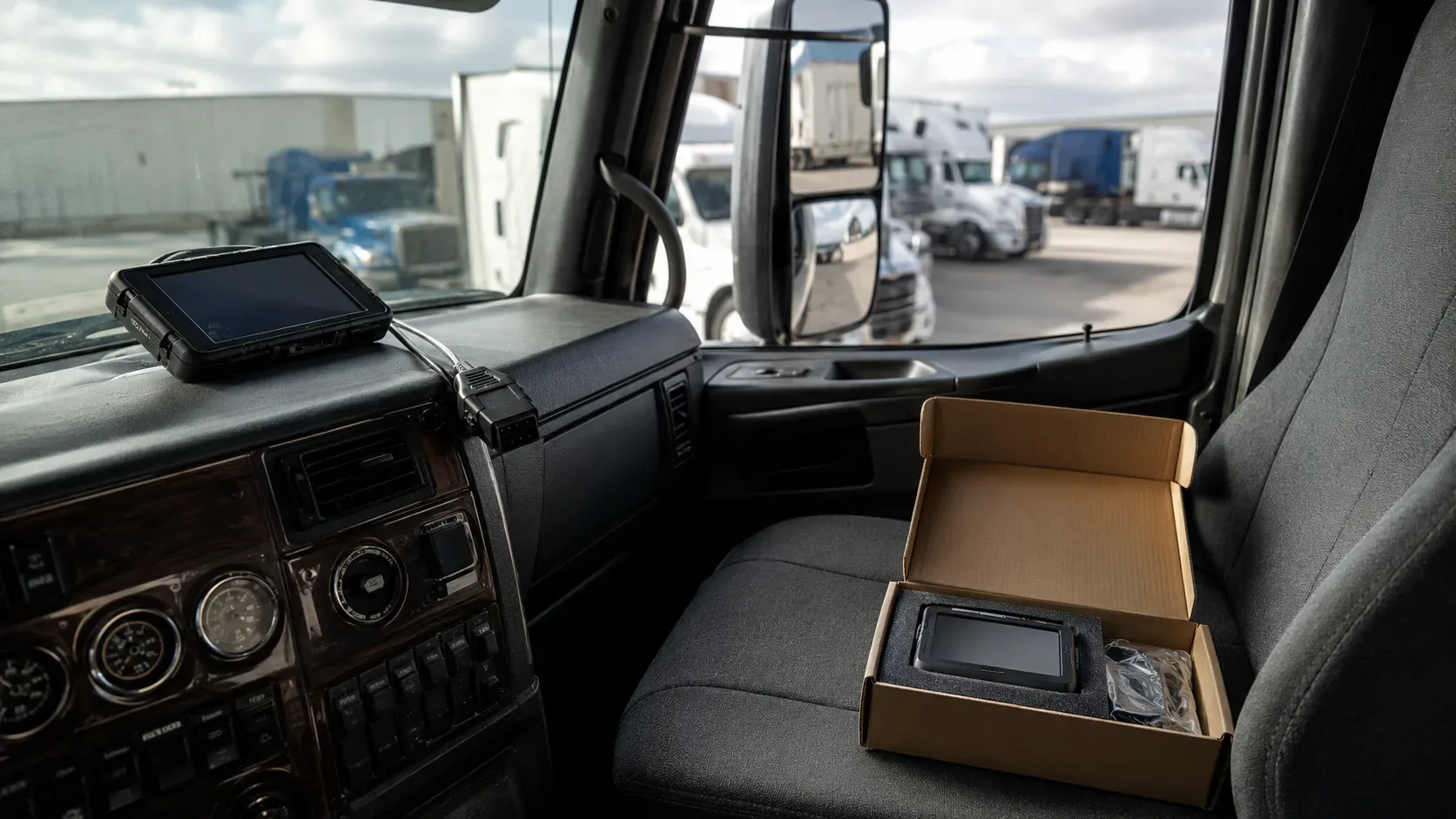
An ELD revocation is not a routine software update.
It means FMCSA has removed a specific device from the official registered list because the provider failed to meet the minimum technical requirements in the ELD rule.
The carrier now has two separate problems:
- keep accurate hours-of-service records during the transition;
- replace the revoked product before FMCSA’s enforcement deadline.
The wrong response is to wait passively for the vendor.
FMCSA often allows a temporary transition period, but its notices consistently direct affected carriers to discontinue relying on the revoked ELD, use paper logs or permitted logging software, and move to a registered replacement.
This guide is organized as an incident-response plan rather than a general ELD overview.
First, confirm that the notice applies to your exact device
ELD names can be confusing.
A provider can sell:
- multiple models;
- iOS and Android versions;
- older and newer hardware;
- white-labeled products;
- products with similar commercial names;
- products renamed after a company acquisition.
Do not decide from the app icon alone.
Compare the carrier’s device with the official notice using:
- provider name;
- device name;
- model number;
- ELD identifier.
The identifier is especially important because products with similar names can have different registration status.
Where to verify status
Use the official FMCSA ELD list.
The list distinguishes between:
- registered devices;
- revoked devices.
Also review FMCSA’s ELD News and Events page and the specific newsroom announcement.
Save a copy of the notice showing:
- revocation date;
- exact affected product;
- replacement deadline;
- interim enforcement instructions.
Do not rely only on the vendor’s email
A provider can describe the event as:
- temporary certification issue;
- administrative delay;
- technical dispute;
- pending reinstatement.
The FMCSA list controls the regulatory status.
Understand the three dates
Every revocation response should track three different dates.
| Date | Meaning | Carrier action |
|---|---|---|
| Removal date | FMCSA moves the device to the revoked list | Begin transition immediately |
| Transition period | Temporary period described in the FMCSA notice | Use the authorized interim record method and install a replacement |
| Enforcement deadline | Revoked device is treated as no compliant ELD | Replacement must already be operational |
Recent FMCSA notices have generally allowed up to 60 days.
Do not assume every notice uses the same date.
Use the deadline written in the announcement for the exact product.
Current July 2026 example
On July 9, 2026, FMCSA removed ten devices from the registered list.
The affected carriers were directed to:
- discontinue using the revoked products and revert to paper logs or logging software;
- replace them with a registered ELD before September 8, 2026.
Before September 8, enforcement officials are encouraged to review paper logs, logging software or the old display as a backup method rather than cite the driver solely for the revoked ELD violations identified in the notice.
Beginning September 8, continued use can be treated as operation without an ELD, with citation and out-of-service consequences.
This example shows why the carrier should read the entire notice rather than only the headline.
The first 24 hours
The initial objective is continuity of lawful RODS.
Notify every affected driver
Tell drivers:
- the device has been revoked;
- the effective FMCSA deadline;
- which temporary record method to use;
- when the old application should stop being used as the primary log;
- how to reconstruct missing records;
- who to contact;
- when replacement training will occur.
Use written communication and preserve delivery evidence.
Freeze avoidable account changes
Do not immediately:
- cancel the subscription;
- deactivate drivers;
- delete vehicles;
- uninstall the application;
- remove hardware;
- close the administrator account.
Those actions can make historical data harder to retrieve.
First export and verify the records.
Move to the interim method named by FMCSA
Recent notices have instructed carriers to use:
- paper RODS;
- or logging software.
The carrier should follow the exact notice.
The temporary method still must produce accurate records containing the required information.
Drivers remain subject to:
- 11-hour limit;
- 14-hour window;
- 30-minute break;
- 60/70-hour limits;
- other applicable HOS rules.
Revocation does not create extra driving time.
Preserve the old records before changing providers
The carrier generally must retain ELD RODS and required supporting data for six months.
A revocation does not erase that duty.
The old provider can later:
- terminate service;
- disable exports;
- shut down;
- merge accounts;
- lose support staff;
- change the portal.
Export records while access is still available.
What to export
At minimum, preserve:
- each driver’s RODS;
- the current month;
- the previous six months;
- separate backup data;
- unidentified driving events;
- accepted and rejected edits;
- annotations;
- malfunction and diagnostic events;
- driver account list;
- vehicle list;
- trailer references where available;
- supporting-document links;
- inspection transfer files;
- administrator activity relevant to compliance.
Export a longer period when records relate to:
- accident;
- insurance claim;
- FMCSA investigation;
- wage dispute;
- litigation;
- cargo claim;
- tax issue.
Export in more than one format
Where the provider allows it, retain:
- original data export;
- readable PDF or report;
- CSV or spreadsheet export;
- eRODS or transfer file;
- screenshots of account and device information.
A readable PDF is useful to a human.
The original machine-readable data can be important during an investigation.
Verify the export
Open a sample from each driver and confirm:
- dates are complete;
- graph grids display;
- duty statuses exist;
- edits and annotations appear;
- vehicle assignments appear;
- no pages are blank;
- files are not password-locked;
- names and date ranges are clear.
A downloaded ZIP file is not proof of a successful export until it is opened and checked.
Reconstruct the driver’s current and previous seven days
During roadside inspection, a driver required to maintain RODS must generally be able to present:
- the current day;
- the previous seven consecutive days.
A provider change can break that continuity.
Three ways to preserve roadside continuity
Depending on the system and circumstances, the driver can use:
- paper copies of the prior records;
- readable exports from the old system;
- manual entries or annotations in the new ELD where the system permits and the information remains accurate.
The carrier should test the chosen method before dispatch.
Do not recreate automatic driving events inaccurately
Historical information should not be rewritten in a way that changes:
- driving time;
- location;
- duty status;
- certification;
- edit history.
Preserve the old record as the original source.
Use manual entry only as permitted and identify its source.
New driver account, same driver identity
Create the replacement account using accurate driver information.
Do not create multiple active accounts to hide or divide driving time.
The replacement system should identify:
- driver;
- carrier;
- vehicle;
- home terminal;
- time zone;
- special driving categories where authorized.
Choose the replacement by identifier
FMCSA’s list contains self-certified devices.
The carrier should verify the exact replacement using:
- provider;
- device name;
- model;
- ELD identifier;
- registration status.
Do this before signing the contract.
Do not buy only from a salesperson’s screenshot
Open the FMCSA list independently.
Save a dated record showing the device was registered when selected.
Ask whether the replacement can import history
Import capability is useful, but it should not drive the entire decision.
A technically compliant device with strong support can be better than a poor device that promises automatic data migration.
Ask:
- Which historical records can be imported?
- Will imported events remain distinguishable?
- Can the driver display the prior seven days?
- Can the carrier export old and new periods separately?
- Will annotations and edits survive?
- What data cannot be migrated?
Evaluate provider resilience
A replacement should provide:
- reliable hardware;
- functioning transfer methods;
- driver training;
- administrator support;
- record exports;
- six-month retention;
- separate backup;
- contract exit rights;
- notification of FMCSA status changes.
A practical replacement scorecard
| Issue | Minimum question |
|---|---|
| FMCSA status | Does the exact identifier appear on the registered list today? |
| Roadside transfer | Can the driver demonstrate both supported transfer methods? |
| Historical records | Can old records be preserved and prior seven days displayed? |
| Exports | Can the carrier download data without support intervention? |
| Support | Is help available during nights and weekends? |
| Contract | Can the carrier leave and receive all records promptly? |
| Hardware | Does the device fit the truck, ECM and operating environment? |
| Training | Can drivers use edits, annotations, transfer and malfunctions correctly? |
Install before the final week
A provider transition can fail for reasons unrelated to FMCSA status.
Examples include:
- hardware shipping delay;
- incompatible diagnostic port;
- incorrect cable;
- app-store problem;
- driver account error;
- VIN not entered;
- vehicle not assigned;
- Bluetooth failure;
- transfer test failure;
- driver training delay.
Install early enough to test real operation.
The compliance deadline is not the preferred installation date.
It is the date by which the transition should already be complete.
Test one full operating day
Before rolling the replacement across the fleet, verify:
- automatic driving capture;
- odometer and engine-hour data;
- location accuracy;
- duty-status changes;
- personal conveyance settings;
- yard-move settings;
- driver certification;
- unidentified driving;
- edits and annotations;
- roadside display;
- email or web-services transfer;
- backup and export.
For a one-truck carrier, conduct the test before a long interstate load.
Use Web eRODS when practical
FMCSA provides Web eRODS to show how transferred files appear to enforcement.
A successful internal display does not guarantee that the transfer file is valid.
Testing the safety-official view can reveal:
- file errors;
- missing identifiers;
- formatting problems;
- transfer failures.
Train the driver on the replacement
A driver familiar with one ELD can still make mistakes on another.
Training should cover:
- sign-in;
- vehicle selection;
- trailer and shipping data;
- duty status;
- certification;
- annotations;
- unidentified driving;
- carrier-proposed edits;
- personal conveyance;
- yard move;
- display;
- transfer;
- malfunction reporting.
The driver also needs the current onboard information packet:
- data-transfer instructions;
- malfunction and recordkeeping instructions;
- blank graph-grid logs for at least eight days.
Since July 22, 2026, the operator’s manual is no longer a federally required onboard item, although the carrier can keep it voluntarily.
Keep an audit trail of the transition
Create a short revocation file.
It should show:
- FMCSA notice;
- affected device identifier;
- date carrier learned of the revocation;
- drivers and vehicles affected;
- interim logging instructions;
- exported record inventory;
- replacement evaluation;
- purchase date;
- installation date;
- training date;
- first successful transfer test;
- old-service termination date.
This file explains why the carrier changed systems and how RODS continuity was protected.
Suggested transition log
| Event | Evidence |
|---|---|
| Revocation confirmed | FMCSA notice and list screenshot |
| Drivers notified | Written instruction and acknowledgement |
| Old records preserved | Export index and backup location |
| Interim method started | Paper or software RODS procedure |
| Replacement verified | Registered-list record and identifier |
| Installation completed | Vehicle and driver configuration record |
| Driver trained | Training date and topics |
| Transfer tested | Successful test or Web eRODS result |
Revocation is not the same as malfunction
These events require different responses.
Device malfunction
A malfunction affects the operation of a device or installation.
The driver generally:
- notifies the carrier within 24 hours;
- reconstructs missing records;
- uses paper logs when needed.
The carrier generally has eight days to repair, service or replace the malfunctioning unit, subject to the extension process.
FMCSA revocation
Revocation affects the regulatory status of the device model.
Even if the application appears to work, FMCSA has determined that the device failed the minimum requirements or the provider failed to resolve deficiencies.
The carrier follows:
- FMCSA’s specific notice;
- its transition period;
- its replacement deadline.
A functioning revoked device is not the same as a registered compliant ELD.
Temporary provider outage
An outage can create a malfunction or data-access problem without revocation.
Check both:
- device status;
- official FMCSA registration status.
Do not describe every outage as an FMCSA revocation.
Can the device return to the registered list?
Yes.
FMCSA notices state that a provider can correct the identified deficiencies.
When FMCSA determines the device is compliant again, it can return it to the registered list and the agency can notify the industry.
The carrier should still proceed with replacement.
Why waiting is risky
The provider may:
- miss the deadline;
- correct only part of the problem;
- restore one model but not another;
- lose customers or support;
- relaunch under a different product;
- delay record access.
FMCSA explicitly encourages carriers to act immediately rather than wait for restoration.
What if it is relisted after replacement?
The carrier can evaluate whether to return later.
Consider:
- contract cost;
- confidence in the provider;
- record migration;
- driver retraining;
- hardware expense;
- recurrence risk.
A relisting does not require the carrier to return.
What happens after the deadline?
After the deadline in the specific notice, continued use of the revoked device can be treated as operating without an ELD.
Recent FMCSA notices state that enforcement should:
- cite § 395.8(a)(1);
- place the driver out of service under the applicable criteria.
This risk is separate from any HOS violation visible in the records.
A driver can have enough available hours and still be placed out of service because the required ELD is not compliant.
The deadline applies to operation, not ordering
It is not enough to show:
- replacement receipt;
- shipping confirmation;
- installation appointment;
- provider contract.
The replacement should be:
- installed;
- configured;
- functioning;
- assigned to the driver;
- capable of display and transfer.
Contract and payment issues with the old provider
Compliance comes first, but the carrier should also protect the business.
Review:
- refund rights;
- early termination;
- hardware ownership;
- financed equipment;
- data export fees;
- cancellation notice;
- automatic renewal;
- final invoice;
- hardware return procedure.
Preserve evidence before disputing payment
Keep:
- original contract;
- provider promises;
- FMCSA notice;
- vendor communications;
- invoices;
- failed support requests;
- export attempts.
Do not withhold payment in a way that causes immediate loss of records before the export is complete.
Hardware removal
Determine whether the old hardware:
- belongs to the carrier;
- is leased;
- must be returned;
- contains local data;
- needs secure disposal.
Remove it only after the replacement is tested unless the revoked hardware interferes with the new installation.
A one-truck transition example
The seven mistakes to avoid
Waiting for the vendor’s appeal
The FMCSA deadline controls.
Cancelling before exporting
The carrier can lose required historical records.
Using the revoked app as the only interim log
Follow the official notice and use the permitted temporary method.
Replacing by brand name only
Verify the exact model and identifier.
Installing on the final day
Hardware, account and transfer problems need time to fix.
Forgetting the prior seven days
The driver must maintain roadside continuity during the switch.
Deleting the old system after migration
Retain original records for the required period and longer when an event requires it.
A durable revocation policy
The carrier should not build this process only after an emergency.
Create a standing policy that answers:
- who checks the FMCSA list;
- how often it is checked;
- who receives agency alerts;
- where records are exported;
- who can authorize a replacement;
- which paper-log supplies are onboard;
- how drivers are notified;
- how prior seven days are preserved;
- how vendor contracts are terminated.
A monthly official-list check is a reasonable starting point.
Also subscribe to FMCSA ELD email updates.
The agency states that the carrier is responsible for periodically checking both registered and revoked lists.
What to do now
When a device has just been revoked:
- match the provider, model and identifier;
- save the official notice and deadline;
- notify drivers;
- start the permitted interim record method;
- export and verify all historical data;
- preserve current and prior seven-day records;
- select a registered replacement;
- install and test it early;
- train drivers;
- retain a transition file;
- cancel the old service only after data preservation;
- verify compliance again before the FMCSA deadline.